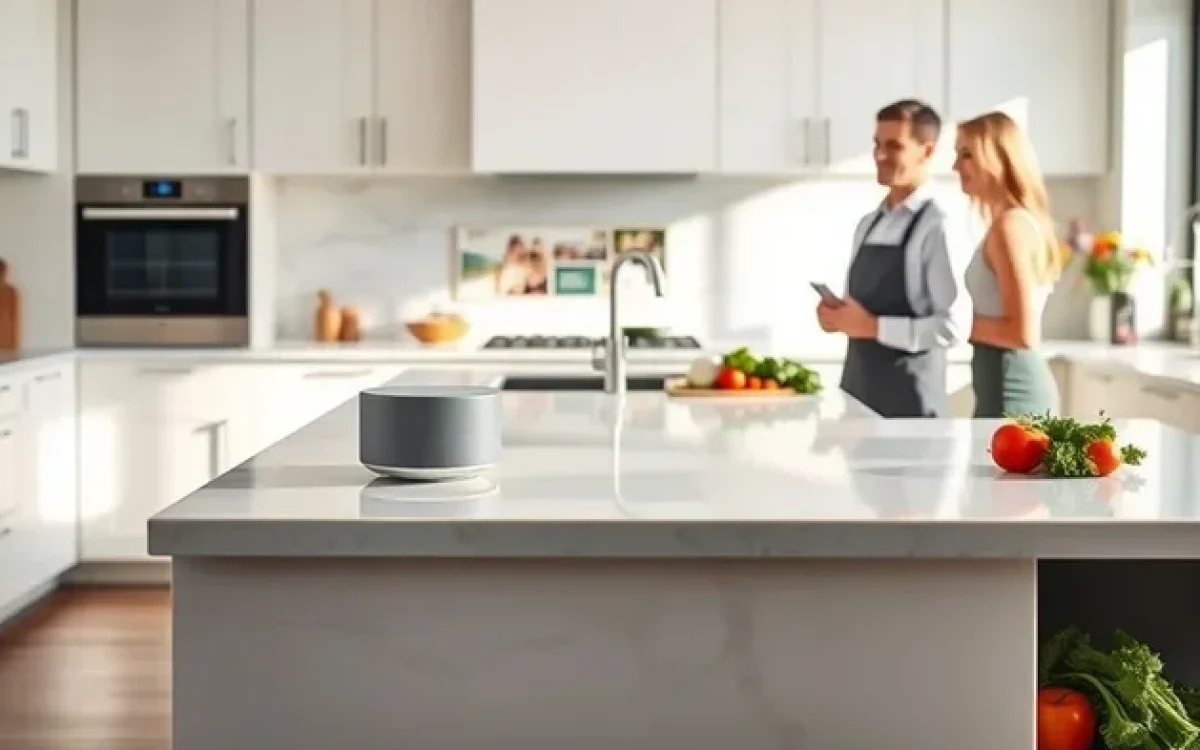
Alexa for kitchen turns your cooking space into a hands-free smart zone. You can set timers, play music, get recipes, and manage shopping lists without lifting a finger. This guide covers everything from setup to pro tips that make your time in the kitchen smoother and more enjoyable.
Cooking should be fun, not a chore. But let us be honest. Juggling recipes, timers, shopping lists, and music all at once can turn a peaceful evening into a stressful scramble. That is where Alexa for kitchen steps in. A smart speaker placed right in your cooking space changes everything. You get a helpful kitchen assistant that responds to your voice. You can set timers, pull up recipes, add items to your shopping list, and even play your favorite tunes. All without touching a single screen.
If you have been wondering how to bring more smarts into your cooking routine, you are in the right place. This guide walks you through everything you need to know about using Alexa for kitchen. From the very first setup to advanced tips that will make you feel like a pro. Let us dive in and make your cooking life a whole lot easier.
Key Takeaways
- Hands-Free Convenience: Alexa lets you control your kitchen with simple voice commands while your hands stay busy with ingredients.
- Recipe Support: You can ask Alexa to read recipes step by step, so you never have to stop and read a cookbook or phone screen.
- Timer and Reminder Mastery: Multiple timers, cooking reminders, and alarms keep your meals on track without constant checking.
- Smart Shopping Lists: Alexa helps you track what you need and can even add items automatically as you run out.
- Music and Entertainment: Play music, podcasts, or audiobooks while you cook to make the experience more fun.
- Easy Setup: Getting started with Alexa in your kitchen is simple and requires just a smart speaker and a Wi-Fi connection.
📑 Table of Contents
- Why Alexa Belongs in Your Kitchen
- Setting Up Alexa in Your Kitchen
- Top Alexa Features for Cooking
- Alexa Skills That Transform Your Kitchen
- Common Mistakes and How to Avoid Them
- Expert Tips for Getting the Most Out of Alexa in the Kitchen
- Comparing Alexa with Other Kitchen Assistants
- Frequently Asked Questions
- Conclusion
Why Alexa Belongs in Your Kitchen
The modern kitchen is more than just a place to cook. It is where families gather, where creativity flows, and where busy schedules come together over a shared meal. Adding a smart speaker like Amazon Echo or Echo Dot to this space brings a new level of convenience. Alexa for kitchen acts as your personal sous chef. It does not judge your cooking skills. It does not get in the way. It simply helps.
Think about the last time you were mid-recipe and your hands were covered in flour. You needed to check the next step. Or maybe you were roasting something and kept running to the oven to check the time. These small frustrations add up fast. Alexa for kitchen solves them with a simple voice command. Just say “Alexa” and ask. That is all it takes.
Hands-Free Cooking Made Real
The biggest advantage of having Alexa in your kitchen is the hands-free experience. When you are stirring a pot, kneading dough, or chopping vegetables, your hands are not free. But your voice still is. With voice commands for cooking, you can do amazing things:
- Set multiple timers at once for different dishes
- Ask for the next step in a recipe
- Convert measurements without touching your phone
- Add missing ingredients to your shopping list on the spot
- Play a cooking podcast or music playlist
These small actions save you time and keep your focus on the food. Over a full cooking session, the time you save really adds up. You stay in the flow instead of constantly stopping to check your phone or wipe your hands on a towel just to tap a screen.
Setting Up Alexa in Your Kitchen
Getting started with Alexa for kitchen is surprisingly simple. You do not need to be a tech expert. In fact, most people have their smart speaker up and running in under fifteen minutes. Here is what you need and how to do it.
What You Will Need
Before you begin, make sure you have these basics in place:
- An Amazon Echo device or any Alexa-enabled smart speaker
- A stable Wi-Fi connection
- An Amazon account linked to the device
- The Alexa app installed on your phone
Once you have these, placing the speaker in your kitchen is easy. Pick a spot where you can reach it from most areas of the room. A countertop near the stove or a kitchen island works great. Just avoid placing it too close to steam or heat sources. This keeps the microphone and speaker in good shape for the long run.
Quick Setup Steps
Follow these simple steps to get your kitchen assistant up and running:
- Plug in your Echo device and wait for the light ring to turn orange
- Open the Alexa app on your phone
- Tap “Add Device” and select your Echo model
- Follow the on-screen prompts to connect to Wi-Fi
- Name your device something fun like “Kitchen Helper” or “Chef Alexa”
- Test it by saying “Alexa, what time is it?”
That is it. You are ready to start cooking with voice commands. If you want to make your morning routine smoother, check out our guide on oatmeal for breakfast to see how Alexa can help you prep your first meal of the day with ease.
Top Alexa Features for Cooking
Now that your smart speaker is in place, let us talk about what it can actually do for you while you cook. Alexa for kitchen is packed with features designed to make meal preparation smoother and more enjoyable. Here are the ones you will use the most.
Timers and Alarms
This is the number one reason people keep Alexa in the kitchen. Setting a timer used to mean finding your phone, unlocking it, and tapping the timer app. Now you just say, “Alexa, set a timer for twelve minutes.” You can even set multiple timers at the same time. Say something like “Alexa, set a timer for the roast and another for the vegetables.” Each timer gets its own name, so you can call them separately later.
Here are some useful timer phrases to try:
- “Alexa, set a pasta timer for ten minutes.”
- “Alexa, set a timer called bread for thirty minutes.”
- “Alexa, how much time is left on the roast timer?”
- “Alexa, cancel the vegetables timer.”
Recipe Reading and Guidance
One of the best things about Alexa for kitchen is the ability to read recipes out loud. You do not have to hold your phone or tablet with greasy fingers. Just ask Alexa to read a recipe, and she will guide you step by step. Many popular recipe skills are available in the Alexa app, including AllRecipes, Yummly, and Food Network.
To get started, try these commands:
- “Alexa, ask AllRecipes for a chicken dinner idea.”
- “Alexa, read the next step in the recipe.”
- “Alexa, how many calories are in this recipe?”
- “Alexa, repeat the ingredients list.”
These features are especially helpful when you are trying something new. You can focus on the cooking instead of fumbling through a recipe book or phone screen.
Shopping Lists and Meal Planning
Running out of an ingredient mid-recipe is frustrating. Alexa helps you stay ahead of the game with smart shopping lists. You can add items as you notice them running low. You can also create shared lists so your partner or roommate can see what you need when they go grocery shopping.
Try these commands:
- “Alexa, add olive oil to my shopping list.”
- “Alexa, what is on my shopping list?”
- “Alexa, remove the bananas from my list.”
- “Alexa, create a new list called Sunday Dinner.”
For those who like to plan meals ahead of time, Alexa can help with that too. You can ask for weekly meal ideas, generate shopping lists based on recipes, and even set reminders for when to start preparing meals. This level of organization takes the stress out of figuring out what to cook each night.
Music and Entertainment
Cooking is more fun with good music playing in the background. Alexa connects to Spotify, Amazon Music, Apple Music, and many other services. You can ask for specific songs, artists, or genres while you chop, stir, and simmer.
Some great commands for your cooking sessions include:
- “Alexa, play a jazz playlist for cooking.”
- “Alexa, play some upbeat music.”
- “Alexa, next song.”
- “Alexa, set a volume of four.”
You can also listen to cooking podcasts, audiobooks, or even the news while you prepare meals. This turns your kitchen into an entertaining space where you actually enjoy spending time.
Alexa Skills That Transform Your Kitchen
Skills are like apps for Alexa. They add new capabilities to your smart speaker and make Alexa for kitchen even more powerful. Here are some of the best skills to install for a smarter cooking experience.
Cooking and Recipe Skills
There are dozens of recipe-related skills available. These skills let you ask Alexa for recipe ideas, get step-by-step cooking instructions, and even track what you have eaten during the week. Popular options include:
- AllRecipes Skill
- Yummly Skill
- Food Network Skill
- Paprika Recipe Manager Skill
Each skill brings something different to the table. AllRecipes gives you a huge database of community-tested dishes. Yummly offers personalized recommendations based on your taste preferences. Food Network brings professional chef recipes right into your kitchen.
Smart Home Integration
If you have smart appliances in your kitchen, Alexa can control many of them. You can turn on smart lights, adjust smart plugs, and even control some smart ovens and refrigerators. This level of integration makes your kitchen feel truly connected and modern.
Imagine saying “Alexa, turn on the kitchen lights” as you walk in to start dinner. Or telling Alexa to preheat your smart oven while you mix ingredients. These small conveniences add up to a much more streamlined cooking experience.
Food and Nutrition Skills
For those who care about what they eat, nutrition-focused skills are a game changer. Alexa can help you track calories, count macros, and even suggest healthier alternatives to your favorite recipes. Skills like Nutritionist and Calorie Counter give you instant access to nutritional information. Just ask, “Alexa, how many calories are in two eggs?” and get an immediate answer.
Common Mistakes and How to Avoid Them
Even though Alexa for kitchen is easy to use, there are a few common mistakes that can frustrate you. Knowing these pitfalls ahead of time saves you a lot of headaches.
Placing the Speaker Too Far Away
One of the biggest mistakes people make is putting the smart speaker too far from their cooking area. If Alexa is on the other side of the kitchen, you might not get clear responses. Place your device somewhere central and within earshot of where you usually stand. A spot about three to five feet from your main cooking area works perfectly.
Ignoring Noise Levels
Kitchens can be noisy. Blenders, mixers, sizzling pans, and running water all create background noise. If Alexa does not hear you the first time, try speaking a little louder or more clearly. You can also move closer to the speaker when giving commands. Over time, you will learn the best spots and volumes for getting Alexa’s attention in your specific kitchen.
Not Customizing Your Device
Out of the box, Alexa comes with default settings. But taking a few minutes to customize your device makes a big difference. Set your preferred units of measurement, choose your default music service, and organize your lists. These small adjustments make Alexa for kitchen feel like it was built just for you.
Forgetting to Update Skills and Software
Alexa gets better over time with software updates and new skills. Check the Alexa app regularly for updates. New features and improvements are added frequently. Keeping your device current ensures you always have the best experience.
Expert Tips for Getting the Most Out of Alexa in the Kitchen
After helping many home cooks set up and use Alexa for kitchen, here are some expert tips that truly make a difference.
Use Routines for Morning and Evening Cooking
Alexa Routines let you trigger multiple actions with a single command. You can create a routine called “Breakfast Time” that turns on the kitchen lights, reads your calendar, and plays your favorite morning show. Create an “Evening Cooking” routine that dims the lights, starts a cooking playlist, and sets a reminder for dinner prep.
Create Custom Commands
If you cook frequently, you can create custom voice commands through the Alexa app. These shortcuts let you trigger specific actions with a phrase you will remember. For example, you could create a command called “Dinner Prep” that sets a timer, reads a recipe, and turns on the kitchen lights all at once.
Keep a Family Hub
If you have an Echo Show device with a screen, use it as a family hub in the kitchen. Display your shopping list, calendar, and favorite recipes on the screen. Family members can add items to the list from their phones, and everyone sees the updates in real time.
Pair Alexa with Your Cooking Style
Everyone cooks differently. Some people follow recipes closely. Others prefer to freestyle. Tailor how you use Alexa to match your style. If you are a recipe follower, load up your favorite cooking skills. If you prefer to improvise, use Alexa mainly for timers, shopping lists, and music.
Comparing Alexa with Other Kitchen Assistants
Alexa is not the only smart assistant available for the kitchen. Here is how it compares to other popular options.
| Feature | Alexa | Google Assistant | Siri |
|---|---|---|---|
| Recipe Reading | Excellent with many skills | Good with Google Assistant | Limited native support |
| Smart Home Integration | Very strong | Very strong | Good within Apple ecosystem |
| Shopping Lists | Great shared list support | Good shared list support | Basic list features |
| Music Services | Amazon Music + many others | Spotify + YouTube Music | Apple Music + limited others |
| Pricing | Wide range of devices | Wide range of devices | Limited to Apple devices |
| Hands-Free Cooking | Excellent | Excellent | Good |
Alexa stands out for its wide range of cooking skills and affordable device options. The Echo Dot is one of the most budget-friendly smart speakers available, making it easy to add Alexa for kitchen to any home without a big investment.
Frequently Asked Questions
Can Alexa read recipes out loud while I cook?
Yes, absolutely. Alexa can read recipes step by step through various cooking skills like AllRecipes and Yummly. You just say “Alexa, ask AllRecipes for a chicken recipe,” and she will read the ingredients and instructions out loud. This keeps your hands free and your focus on the food.
What kind of Echo device is best for the kitchen?
The Echo Dot is the most popular choice for kitchens because it is compact and affordable. If you want a screen to display recipes or shopping lists, the Echo Show is a great option. For larger kitchens, the Echo or Echo Studio provides richer sound and better microphone pickup from farther away.
Can Alexa help with meal planning?
Yes, Alexa can help with meal planning in several ways. You can ask for weekly dinner ideas, generate shopping lists based on selected recipes, and set reminders for when to start cooking. These features make planning meals for the week much less overwhelming.
Is Alexa safe to use near food and heat?
Alexa devices are designed for everyday use, but it is best to keep them away from direct heat, steam, and splatters. Place your smart speaker on a dry countertop away from the stove and sink. A little common sense goes a long way in protecting your device.
Can multiple family members use Alexa in the kitchen?
Yes, Alexa supports multiple user profiles. Each family member can have their own voice profile, which allows Alexa to recognize who is speaking. This means personalized shopping lists, music preferences, and calendar reminders for everyone in the household.
Does Alexa work with smart kitchen appliances?
Many smart kitchen appliances are compatible with Alexa. You can find compatible smart plugs, lights, ovens, and refrigerators from brands like Samsung, LG, and Philips. Check the Alexa app for a full list of compatible devices and brands.
Conclusion
Alexa for kitchen is more than a gadget. It is a genuine helper that makes your time in the kitchen smoother, faster, and more enjoyable. From setting timers and reading recipes to managing shopping lists and playing music, Alexa handles the small tasks so you can focus on what matters: creating great food and enjoying the process of cooking.
The setup is simple. The features are powerful. And the convenience is real. Whether you are a beginner cook just learning the ropes or a seasoned home chef looking to streamline your workflow, Alexa fits right into your kitchen routine. Start with the basics, explore the skills, and build your own custom setup over time.
Your kitchen deserves a smart assistant. Give Alexa for kitchen a try, and you will wonder how you ever cooked without it. Happy cooking!